Google’s Appointment Links: How to Turn Customer Searches into Bookings
Discover how our new custom Google Appointment Links feature lets multi-location businesses link their business profiles to booking systems, reducing friction and capturing customer intent instantly.

Key takeaways
- Uberall’s custom Appointment Links feature puts a "Book Online" button directly on Google Business Profiles, letting customers schedule instantly from search instead of navigating to a separate site
- Multi-location brands can connect their existing booking platforms across hundreds of locations at once, cutting hours of manual link management
- By capturing high-intent customers at the exact moment they’re ready to act, businesses reduce drop-off and drive measurable conversion growth

When a potential customer finds one of your locations on Google, they’re already ready to take action. But if that moment of intent hits a dead end — maybe there’s no appointment link or the page is outdated — you’ve just lost a customer who was ready to convert. Ready to book their medical checkup, schedule an expert consultation, get their hair recolored.
Whatever your business type, those “microfrictions” leave money on the table.
At the same time, these lost booking opportunities can seem unavoidable when you’re updating appointment links across dozens or even thousands of locations. Manual updates are slow, time-consuming, and easy to get wrong. And we know most enterprise teams don’t have the time or bandwidth to manage these appointment links.
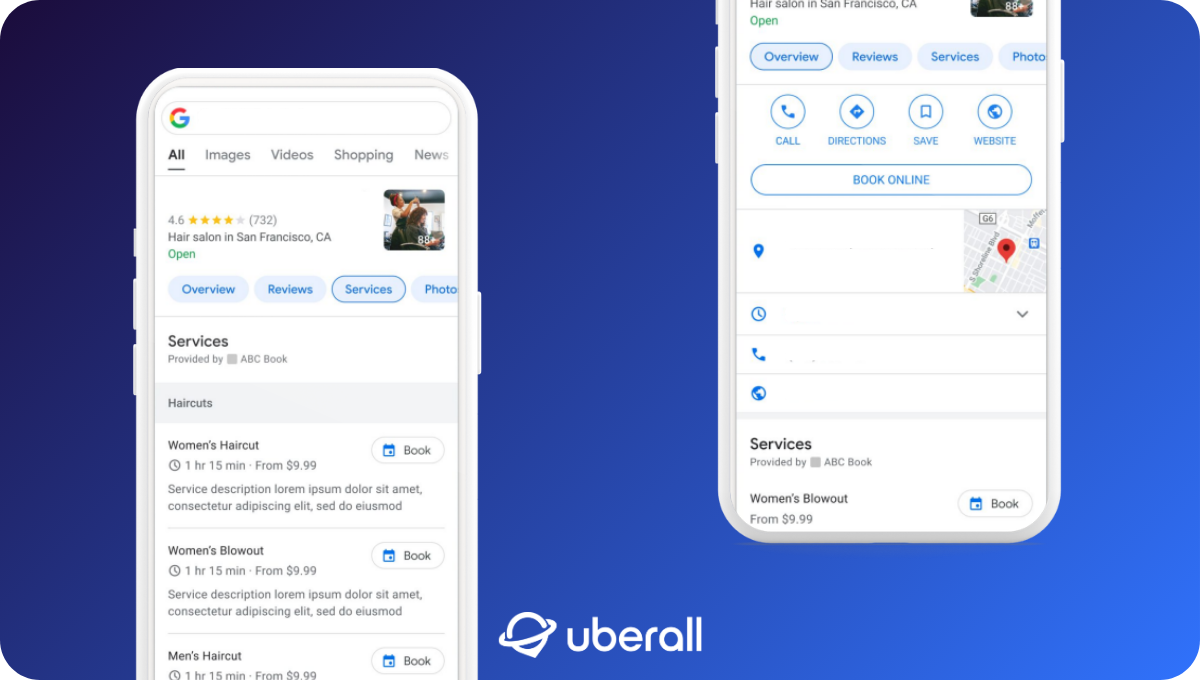
That’s where Google’s Appointment Links feature comes in. It enables multi-location businesses to connect their booking platforms directly to each Google Business Profile. Customers can schedule appointments instantly, right from their Google search results. That means fewer clicks for them, fewer operational headaches for you, and fewer missed revenue opportunities.
What Is the New Google Appointments Feature?
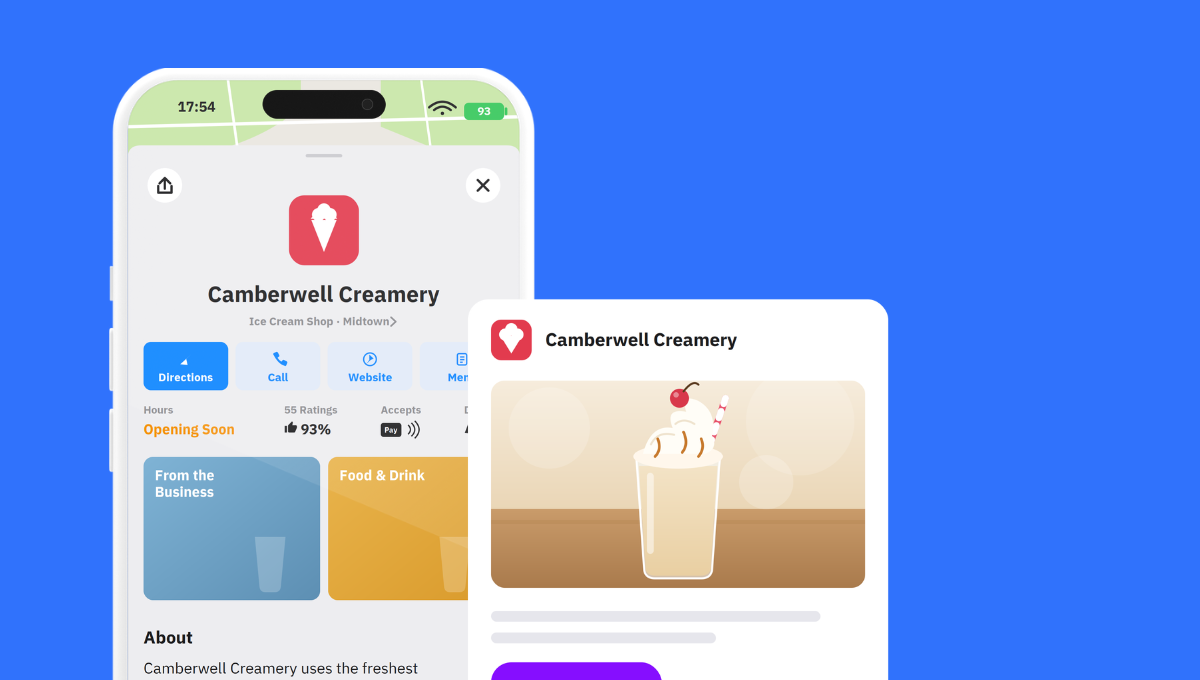
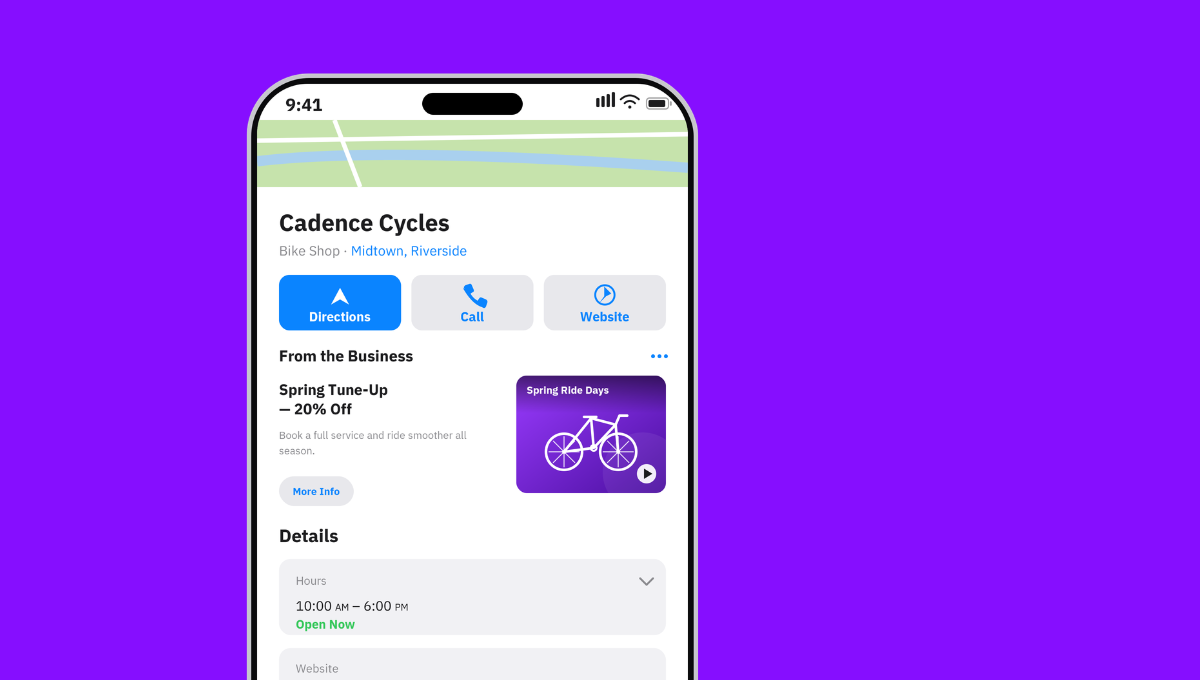
Google’s Appointment Links is a powerful custom Uberall feature that adds a “Book Online” button directly to your business’s Google Business Profiles. It’s available to Uberall customers when they request it from their account manager.
Once enabled, it gives multi-location businesses — where appointments drive conversions — a seamless, high-impact, and almost-native booking experience.
Appointment Links allows users to move effortlessly from discovery to action by connecting a business’s existing booking system directly to Google Search and Maps. Searchers can click straight from a business profile to the appointment provider’s landing page, reducing friction and capturing demand at the moment of intent.
Customers feel more confident booking when they stay within a familiar ecosystem — they stay closer to your brand. This replaces them being sent to a third-party platform that can slow or distract them from completing their booking.
Why Is This Update Important for Multi-Location Brands?
Speed and accuracy are everything — especially for multi-location businesses managing hundreds of customer touchpoints every day.
Teams remove friction exactly where customers are ready to take action when appointment links are connected directly to Google Business Profiles. This seamless integration boosts both convenience and conversion and helps businesses capture demand as soon as it appears.
Our Group Product Manager at Uberall, Andrea Oxenham, explains: “This feature isn’t just a convenience; it’s a direct path to measurable revenue growth. By placing a ‘Book Online’ button directly on the Google Business Profile, we are converting high-intent traffic instantly, maximizing ROI for our business partners.”
This custom integration also ensures brand consistency at scale for enterprises and multi-location brands — from accurate services and hours to availability and messaging. And that consistency matters more than ever: AI search experiences increasingly pull from your profile data to answer customer questions, while E-E-A-T signals like reliability and profile completeness shape whether your business is recommended by systems like ChatGPT.
In summary, this is what this custom Uberall platform feature translates to:
- Higher booking conversion rates
Customers book directly from search, reducing drop-off and capturing high-intent demand instantly. - A better customer experience
Clear, consistent, up-to-date information across every location builds trust — a core pillar of E-E-A-T — and strengthens your reputation in both traditional and AI search. - Faster activation for eligible clients
Automated and scalable appointment link management cuts hours of manual work, so teams can roll out new locations or services quickly and confidently.
All of this feeds directly, of course, into Location Performance Optimization (LPO). Through one custom integration, you’re a) optimizing your visibility and reputation in search systems through providing accurate business data for multiple locations; b) encouraging maximum customer engagement with your brand through seamless booking experiences; c) driving more conversions where they matter most.
By bringing booking directly into search, businesses like yours can turn discovery into revenue in just a few clicks, without having to will customers to click through to your website in the zero-click era. You meet click-hesitant customers where they are willing to go across every major search channel, from Google to AI systems.
Boost Conversions with Less Effort
This all-new custom feature reflects a shared goal between Uberall and Google: to make local marketing faster, easier, and more effective for businesses everywhere.
By connecting booking journeys directly to Google, our team is empowering multi-location brands to achieve more with less effort and to spend more time where it matters most: engaging customers, maximizing internal bandwidth, and driving measurable business growth.
All that it takes is a conversation with your account manager.



1,800 brands trust us to stay visible
— not just show up once or twice in local search.



Frequently Asked Questions
A Google Business Profile booking or appointment link lets customers schedule with you straight from your listing on Google Search and Maps. It shows up as a "Book" or "Book Online" button on your profile, and clicking it takes the customer to your scheduler — or lets them book without leaving Google if you use a supported provider. In short, it turns a local search into a booked appointment with minimal friction.
You add a booking link to your Google Business Profile in two ways. For a custom link, open your Business Profile, select Booking (on Search) or Edit profile → Booking (on Maps), choose Add link, and paste the direct URL to your scheduler — not your homepage. It usually goes live within minutes (up to 24 hours). Or connect a supported scheduling provider for a native button. For many locations, a listings platform sets this at scale.
The difference is where the customer books. A custom Google Business Profile booking link sends customers from your profile to your own scheduler or website to finish the booking. A native "Book" button — powered by a supported scheduling provider through Reserve with Google — lets them pick a time and book without ever leaving Google Search or Maps. Use a custom link if your scheduler isn’t a Google partner; use the native button to reduce friction and maximize bookings.
Reserve with Google is a feature that lets customers book appointments or reservations directly inside Google Search and Maps, through an integrated scheduling provider. Instead of leaving Google, they tap "Book," choose a time, and confirm — and the booking flows straight into your provider’s system. To enable it, you connect a supported booking provider to your Google Business Profile, which then shows a native booking button on your GBP listing.
You add a "Book Now" button to Google by connecting a supported scheduling provider to your Google Business Profile: open your profile, select Bookings, choose Get started, pick your provider, and finish. The provider typically appears on your listing within a week, giving customers a native button to book on Search and Maps. If your scheduler isn’t a Google partner, add a custom booking link instead so the button still points customers to your scheduler.
Booking from Google Search results works when a customer taps the "Book" or "Book Online" button on your Business Profile. With a supported provider, a scheduling window opens right inside Google — they pick a time and confirm without visiting your website. This matters more than ever: as more searches end without a click, capturing the booking at the moment of discovery is how you turn high-intent searchers into confirmed appointments.
Multi-location brands manage booking links across every location through a listings management platform like Uberall rather than editing each profile by hand. Uberall’s Google Appointment Links feature, for example, adds a "Book Online" button to your Google Business Profiles and can be rolled out across your locations with help from your account manager — so every location drives bookings consistently, without the manual, profile-by-profile effort.
Booking and appointment links matter because they remove the friction between discovery and action. A customer who finds you on Google can book in a couple of taps instead of hunting for a phone number or a scheduling page. That directly lifts conversions, captures high-intent demand the moment it appears, and — because an active, action-ready profile signals a trustworthy business — supports your visibility across both traditional and AI-driven local search.